
2 years
−62%+6 months free
190 ₽per month
5 700 ₽ in total
Buy for 5 700 ₽On iPhone and iPad, install Bebra VPN from the App Store. On Android, use Google Play or the APK file. Your plan is stored in your account, so on a new phone you simply sign in.
iOS 15.5 and newer · version 1.21.0
Android 10 and newer · version 1.21.0
Other options APK fileYandex Cloud mirror
Updated
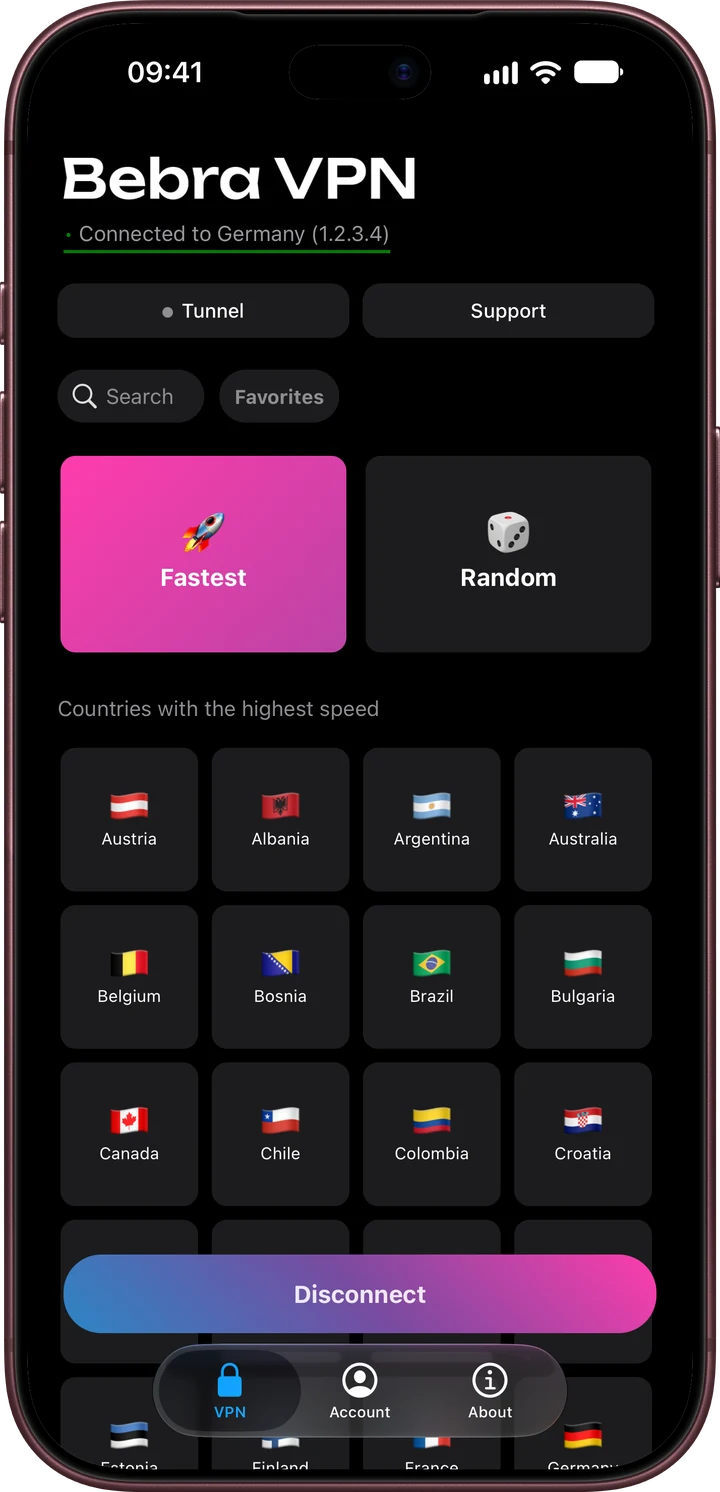
Both run the same app, with the same grid of countries and the same Tunnel and Support buttons. The differences come from the store and from what each system lets an app do.
| Compared | iPhone and iPad | Android |
|---|---|---|
| Where to get it | The App Store | Google Play, or the APK linked on this page. The same file is also on our Yandex Cloud mirror. |
| Paying in the app | Through the App Store | Through Google Play |
| Traffic outside the tunnel | Domains and IP ranges you list under Manual | The same, plus whole apps under Apps that bypass the VPN |
| Battery saving | Nothing to set | If Android shuts the connection down in the background, open Account → Settings → Battery saving and add Bebra VPN to the exceptions |
Each system has its own guide: iPhone and iPad, Android, Huawei phones without Google Play.
On first launch the app creates a guest account, and that account lives on this phone only. Delete the app and you may lose it, along with the plan. Before you switch, open Account → Link e-mail and confirm the address with the code we send you.
On the new phone, Bebra VPN starts in a fresh guest account. To reach the sign-in screen, tap Account → Sign out, then use one of these.
By e-mail. Tap Sign in with Email, then type the 6-digit code from the message.
From the old phone. While you still have it, open Account → Sign in on another device there. On the new phone, tap Sign in with code and enter the eight digits before the 180 seconds run out.
Example from the app
Sign in on another device
Use this one-time code to log in on another device
48271935
The code will expire in 180 sec
On this website you can pay by card or with crypto.
+6 months free
190 ₽per month
5 700 ₽ in total
Buy for 5 700 ₽350 ₽per month
4 200 ₽ in total
Buy for 4 200 ₽500 ₽per month
Billed every month
Buy for 500 ₽3 days of full access, then 500 ₽ per month. The subscription renews automatically.
iPhone and iPad need iOS 15.5 or later, Android phones need Android 10 or later. There is no version for older systems.
Yes. Use one account on both, and add as many other devices as you like.
Yes. Choose a plan above and pay with the e-mail address linked to your account. The subscription then shows up on the phone by itself.
Download the APK from the link under the Google Play button and tap it on the phone to install. Huawei phones have a guide of their own.