
2 years
−62%+6 months free
190 ₽per month
5 700 ₽ in total
Buy for 5 700 ₽One App Store app covers your iPhone, iPad and Apple TV. On iPhone and iPad it needs iOS 15.5 or later.
iOS 15.5 and newer · version 1.21.0
Updated
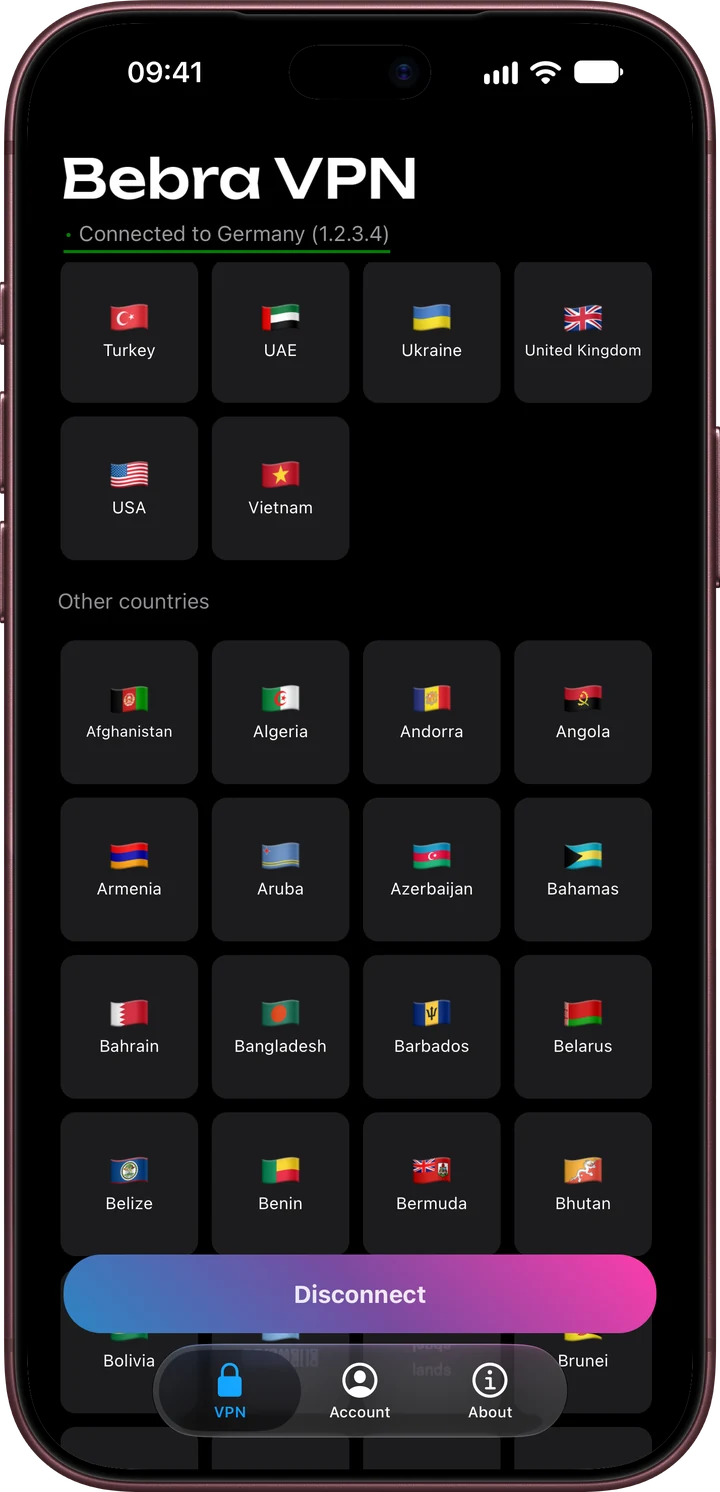
No registration is needed. The app sets up an account for this iPhone and goes straight to the grid of countries.
Any flag will do, or the Fastest tile. Search gets you to a country quickly, and the ones you use often land in Favorites by themselves.
A new account has no subscription, so the Buy Bebra VPN sheet with the trial and plans opens first. If you already have a plan, tap Already have a subscription? → Sign in to account in that sheet.
The first time you connect, iOS asks whether to add a VPN configuration. Allow it and confirm with your passcode, and Bebra VPN connects.
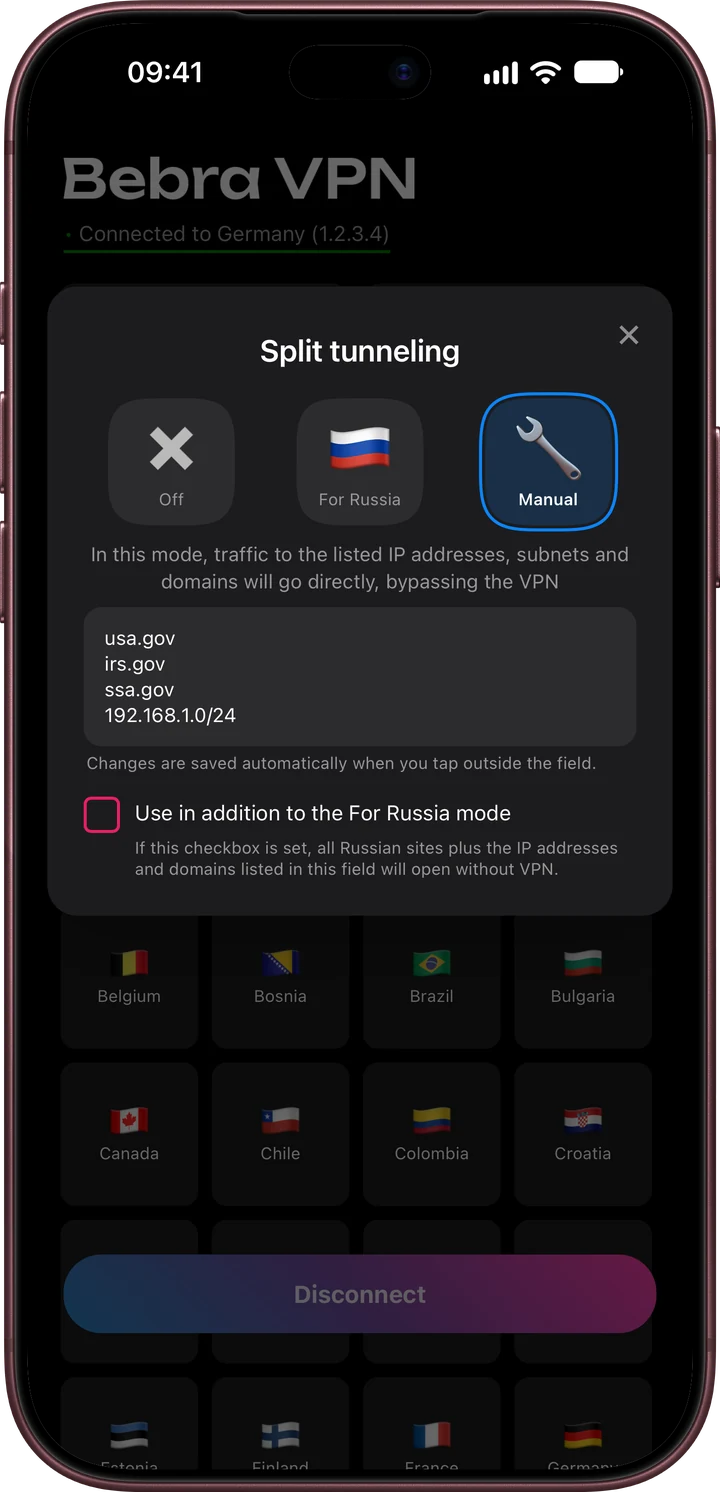
The Tunnel button above the grid opens split tunneling. Choose Manual and list the addresses that should skip the VPN, one per line. A domain, a single IP address or a whole subnet all work. This is useful for a bank site that rejects foreign IP addresses.
On iPhone, Bebra VPN can’t take whole apps out of the tunnel. That list exists only in the Android version.
It’s the same app. To use the account from your iPhone, tap Account → Sign out on the iPad and choose Sign in with code. The iPhone shows the code under Account → Sign in on another device.
Apple TV gets the same app from its App Store and takes a one-time code to sign in. A guest account won’t work on the TV, so tap Link e-mail on your iPhone first. More about Apple TV
Inside the app you subscribe through the App Store. You can also pay here on the website by card or with crypto, then sign in with the same e-mail.
+6 months free
190 ₽per month
5 700 ₽ in total
Buy for 5 700 ₽350 ₽per month
4 200 ₽ in total
Buy for 4 200 ₽500 ₽per month
Billed every month
Buy for 500 ₽3 days of full access, then 500 ₽ per month. The subscription renews automatically.
Open Settings → VPN, switch off the Bebra connection, then connect again from the app. If the VPN section doesn’t respond, restart the phone.
No, it needs iOS 15.5 or later. Once the phone is updated, the App Store will let you install it.
It isn’t available in the Russian App Store. If your Apple ID is set to Russia, this guide shows how to install it anyway.
In your iPhone’s subscription settings. A plan paid on the website is cancelled in your dashboard.